
Organisation
Assess designers, approvals, access rights and data centralisation.
Woodworking software comparison
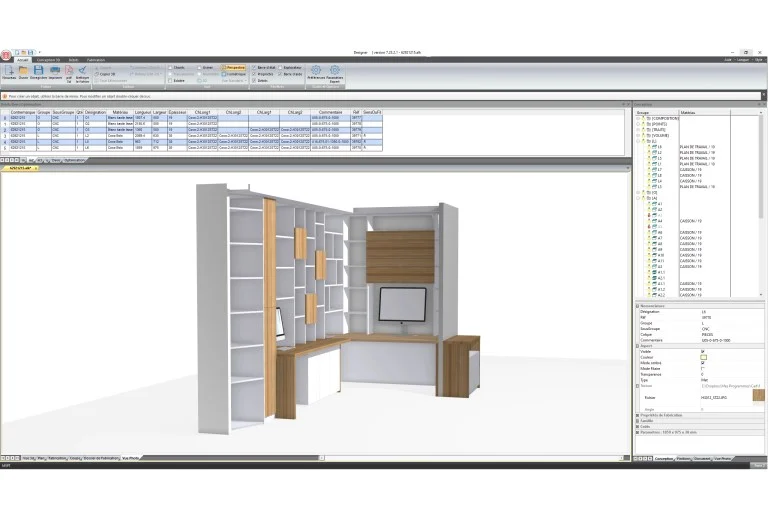
TopSolid’Wood and Aleker Designer are both trade-specific woodworking solutions. TopSolid’Wood provides a broad CAD/CAM and industrial data workflow; Aleker focuses on a more direct path from design to drawings, cut lists, costs and the workshop.
In short
TopSolid’Wood naturally suits structured design offices and complex industrial processes. Aleker suits craftspeople, small businesses and compact teams looking for a lighter trade workflow.
Choice criteria
A useful comparison includes team size, project complexity, machines, required documents and technical data management.
Assess designers, approvals, access rights and data centralisation.
Test a standard job and an unusual project with your own rules and materials.
Validate formats with the machines and downstream software you actually use.
Compare total cost, training, configuration, maintenance and time to production.
Direct comparison
Both products cover trade-specific design. Their main differences lie in CAM, PDM and the expected deployment scope.
Criterion
TopSolid’Wood
Configurable CAD/CAM platform for industrial production environments.
Aleker Designer
Trade CAD for craftspeople, small businesses and woodworking or fitting teams.
TopSolid’Wood
Parasolid exact geometric modeller.
Aleker Designer
Open CASCADE Technology platform for specialised CAD and CAM applications.
TopSolid’Wood
Advanced parametrics, configurable components, integrated machining and multi-material work.
Aleker Designer
Free and parametric design for woodworking, fitting and custom libraries.
TopSolid’Wood
Drawings, bills of materials and technical documentation associated with the project.
Aleker Designer
Associative drawings, part drawings, cut lists, costing and manufacturing files depending on the plan.
TopSolid’Wood
Integrated CAM through TopSolid’WoodCam, machining processes and machine post-processors.
Aleker Designer
CIX, MPR, DXF and IGES exports depending on the plan, completed in downstream tools.
TopSolid’Wood
Integrated PDM for technical data and revision management.
Aleker Designer
Files managed in aleker.cloud with sharing and publications; compare its scope with your actual PDM needs.
TopSolid’Wood
Quotation based on modules, services and machines.
Aleker Designer
Published plans and pricing with a standardised scope for each edition.
Modules, machine compatibility, formats and commercial terms change. Confirm every point for your own configuration before choosing.
You need an industrial CAD/CAM chain and structured technical data management.
You want a more direct and predictable workflow from design to workshop.
Evaluation method
A useful demonstration reproduces a project you sell and measures the manual work that remains.
1
Model a job with your usual components, materials, joints and details.
2
Change dimensions and material after drawings are prepared and measure rework.
3
Produce drawings, cut lists, bills, costs and the workshop file.
4
Validate files with your machine software and CNC chain before deciding.
Conclusion
TopSolid’Wood offers substantial industrial depth in CAD/CAM, PDM and configuration. Aleker Designer provides a shorter, clearer workflow for workshops that want to design, document, cost and prepare manufacturing without deploying a complete industrial suite.
Transparency
Information checked on 16 September 2026.
This page is published by Aleker, the company behind Aleker Designer. It describes positioning differences and does not claim complete feature equivalence. Statements about TopSolid rely on public information from its publisher.
Essential points for choosing according to your workshop and manufacturing chain.
Yes for companies seeking design, associative drawings, cut lists, costs and manufacturing outputs in a lighter environment. It is not a feature-for-feature replacement when industrial PDM or advanced CAM is essential.
TopSolid’WoodCam suits integrated, configurable CAM. Aleker can suit workflows where its exports are completed by machine software or downstream CAM. Always test the exact formats on your equipment.
No. A small company can use it. The question is whether it will use enough of the configuration, PDM and CAM depth to justify deployment.
Aleker publishes its plans. TopSolid is quoted by configuration, so a fair comparison includes modules, services, training, maintenance, seats, PDM and post-processors.
Non-standard work, unusual shapes, bespoke joints: your craftsmanship makes the difference. Show us what you build and discover in the demo how Aleker can support your methods, from design to workshop documents.