
Your trade
Traditional woodworking, interior fitting, custom furniture, kitchens, dressing rooms, reception counters, doors or atypical projects: the conversation starts from your real activity.
Contact
3D CAD software for craftspeople and SMEs making custom wood furniture and interiors. Let’s talk about your real projects.
Book online
Before the demo
The form is not only a way to leave contact details. It helps us understand your context quickly and orient the demonstration: manufacturing type, expected detail level, workshop documents and possible export needs.
Traditional woodworking, interior fitting, custom furniture, kitchens, dressing rooms, reception counters, doors or atypical projects: the conversation starts from your real activity.
We look at how you draw, cost, prepare drawings, organise cut lists and send information to the workshop.
Time saving, error reduction, customer presentation, manufacturing files, CNC exports or library building: the demo can focus on your bottlenecks.

Frequently asked questions
A clear overview of the topics usually discussed before booking a demonstration: onboarding, libraries, specific projects and switching tools.
How does a demo work?On average, after 4 training sessions of 2 hours and regular practice, Aleker Designer is mastered in around two months, or 40 to 80 hours depending on your experience. Some customers start production the week after the second training session. The Aleker approach is different from general 3D software: short training goes straight to the point because the software is dedicated to woodworking and interior fitting.
Yes. Aleker Designer includes what you need to get started quickly: cabinets, drawers, accessories and more. Most customers especially value the ability to create their own components, adapted to the way they work. A well-structured custom library can quickly cover a large part of the recurring elements in a woodworking or interior fitting workshop.
That is a common reason for changing software. Aleker Designer adapts to your know-how and your design and manufacturing methods, not the other way around. The goal is to preserve design freedom while keeping precise, coherent outputs for drawings, cut lists and manufacturing files. Experience shows that it covers a very broad range of custom woodworking and interior fitting projects.
If you are reading this page, you probably already use drawing software and know its limits: design time, rigidity, lack of precision or difficult adaptation to your methods. Aleker Designer is built to gain precision and flexibility, while avoiding dead ends when a project moves outside standard cases.
Prepare your request
You can send a very short request. But the clearer the context, the more concrete the answer can be: version choice, training relevance, library needs or export relevance for your manufacturing chain.
After sending
The aim is not to add another appointment to your calendar. It is to quickly check whether the software can solve a concrete issue: drawing faster, presenting better, making drawings reliable or preparing the workshop.
Your request identifies the type of workshop, the projects concerned and the points to check first during the conversation.
The presentation can focus on 3D drawing, drawing sheets, cut lists, training, libraries or exports depending on your need.
After the conversation, you know which version to consider, what level of training to plan and whether Aleker fits your manufacturing method.
It starts with drawing
How do you optimize your own working time? By preparing other people's work efficiently.
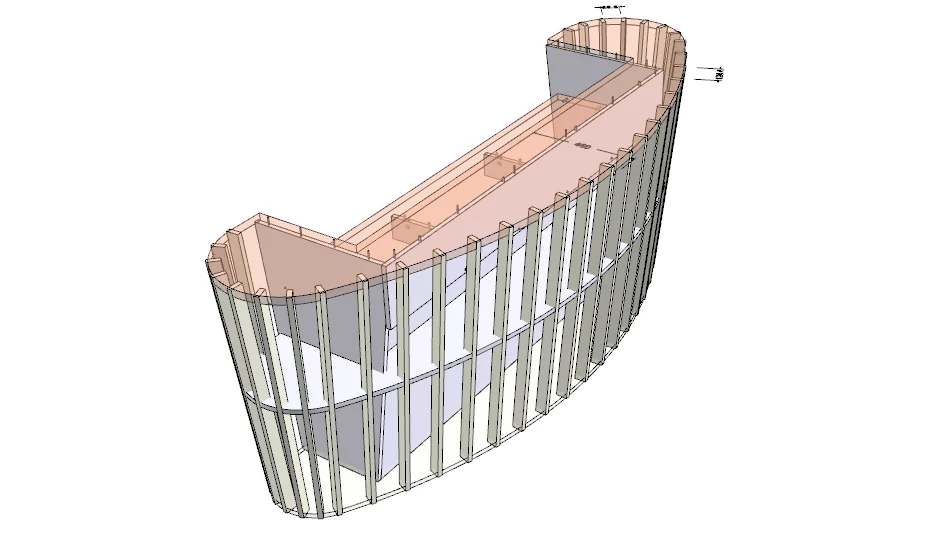
Reception hall, administration, hospital, pharmacy or exhibition stand: our customers have already explored a very wide range of possibilities.
Biotech company - Boulogne Billancourt (92)
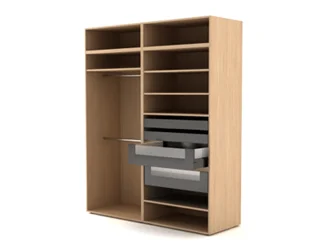
L-shaped, U-shaped or sloped dressing rooms with drawers, doors and hanging rails: custom work remains editable and measurable.
Mr and Mrs C. - Versailles
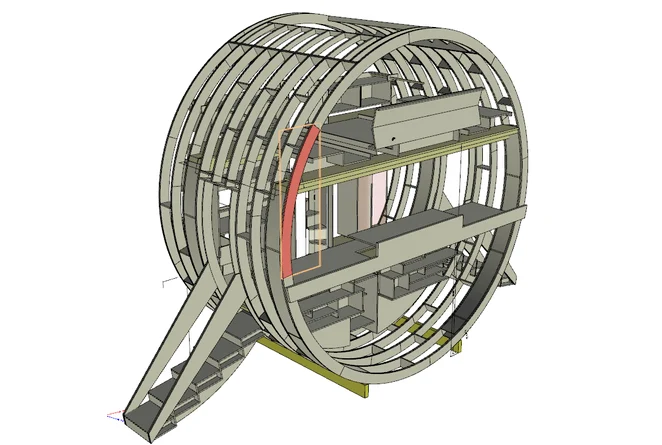
Rounded shapes, basket-handle curves, ellipses or Bezier curves: projects can start from a blank sheet and lead to a distinctive result.
Design Olivier Sibertin-Blanc - Production AMJ (91)