Skip to content

Article

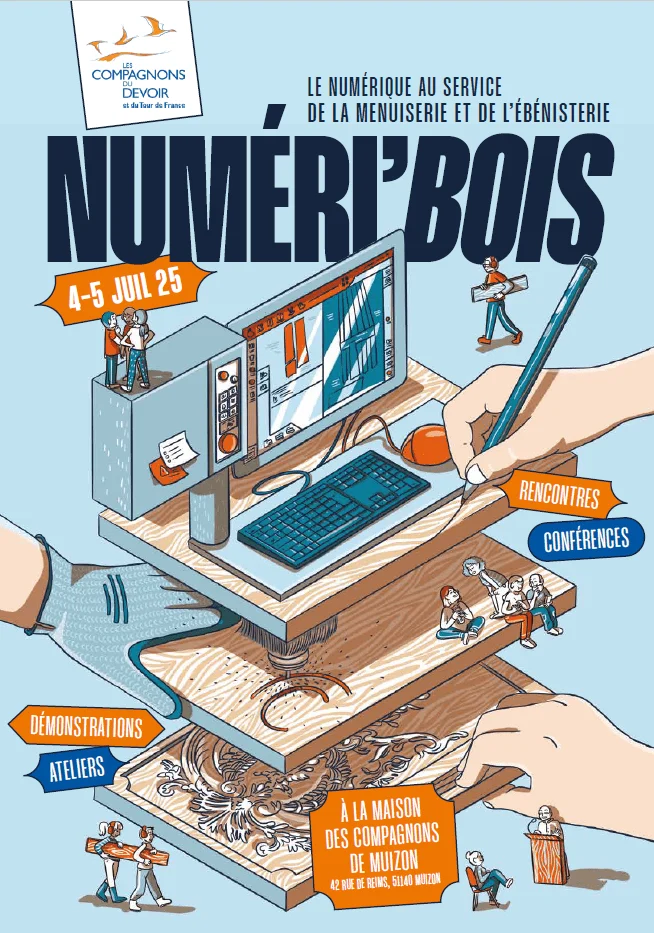
Numeri'Bois 2025: digital technology and woodworking

Aleker at Numeri'Bois 2025: an event dedicated to digital technology, woodworking trades and the future of craft production.

Illustration for Numeri'Bois 2025: digital technology and woodworking

Aleker at Numeri'Bois 2025

Numeri'Bois 2025 highlights the link between woodworking trades, digital tools and the preservation of know-how. Aleker takes part in this movement through practical CAD demonstrations.

When digital tools enhance woodworking heritage

Digital technology can help document, prepare and reproduce complex work while keeping the craftsperson at the centre of the process.

Numeri'Bois 2025: digital technology and woodworking: compagnon du devoir numeriwood 1

A practical vision of CAD for wood

Numeri'Bois 2025: digital technology and woodworking: compagnon du devoir numeriwood 1

For Aleker, CAD is useful when it serves real projects: drawing, communicating, producing and transmitting reliable information to the workshop.
Numeri'Bois 2025: digital technology and woodworking: numeriwood 1

What visitors can discover

Numeri'Bois 2025: digital technology and woodworking: blog CAD wood hero 1
  • 3D modelling for woodworking projects.
  • Technical drawings and manufacturing files.
  • How digital tools support training and transmission.
  • Concrete examples for professional workshops.

Conclusion

Events like Numeri'Bois show that digital tools are not opposed to craft. They can help preserve quality while making production clearer.

Digital woodworking

Digital tools only matter when they improve the workshop

Events around digital woodworking are useful when they connect technology with practical production: drawing, cutting, machining, assembly, training and customer communication.

CAD should reduce repeated data entry between office and workshop.
Digital manufacturing requires reliable exports and clear conventions.
Training remains essential because software must match company methods.
Customer presentation and production preparation should stay connected.

Professional context

From innovation to everyday practice

For small workshops and SMEs, the goal is not to accumulate tools. The priority is to build a coherent method where design decisions produce reliable information for costing, purchasing, cutting and installation.

Start from recurring projects before automating rare cases.
Build libraries gradually around real workshop habits.
Validate the full chain with one project before scaling the method.
Keep support and training close to the actual production workflow.

Workshop checklist

How to evaluate this topic in your own workflow

Whatever the project type, the practical question is always the same: can the drawing become useful workshop information without starting again in another file? Use this checklist to connect the article to your own production method, your current documents and the constraints that usually create delays between customer approval and manufacturing.

Choose one recent project that represents your daily constraints, not an idealized demo case, and check how dimensions, materials and customer changes would be handled.
List the outputs you need after validation: customer view, drawing sheet, cut list, cost breakdown, PDF file, optimisation export, CNC data or a complete manufacturing file.
Check which components should become reusable library elements for future projects, including their materials, hardware, names, variables and production properties.
Identify the points where your current workflow requires re-entry, manual checking or duplicated documents, then verify whether a connected CAD workflow removes that friction.
Compare the information needed by each person involved: customer, designer, workshop, installer, subcontractor and machine operator.
Use the demo to test one change late in the project, because revision handling often reveals whether the workflow is genuinely suited to custom work.
Check how the project will be archived after delivery, because reusable references, reliable drawings and clear production data are what make the next similar project faster.
Evaluate the learning curve against the recurring value: a method that saves time on every revision, drawing sheet and cut list matters more than a fast first impression.

Want to see Aleker on your own projects?

A free demo is the fastest way to evaluate the workflow with your real workshop needs.

Request a demo